A Calm System for Naming and Finding Digital Files
Use a small set of folders, predictable filenames and a light archive routine to make personal documents easier to retrieve without turning file management into a project.
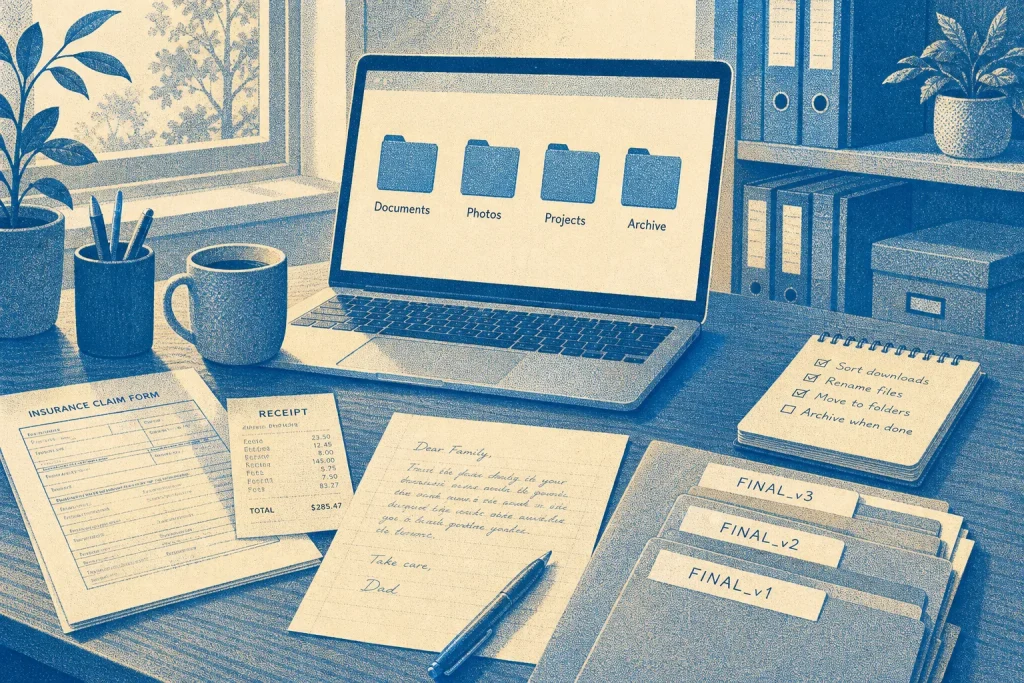
A downloaded insurance form sits beside a scanned receipt, a draft of a family letter and three files called “final.” When a document is hard to find, the problem is often not the number of files but the lack of clues about what each one is and where it belongs. A calm system supplies those clues without requiring a maze of folders or a new app.
Start with these habits, then adjust only when a real search shows what is missing.
1. Give the top level a few clear destinations
Create a small set of folders for broad kinds of material, such as Documents, Photos, Projects and Archive. These are destinations, not a complete map of your life. A document about a home repair can live in Documents, while the photos taken during that repair can stay in Photos.
Choose categories you can recognize quickly. If two folder names seem to describe the same kind of file, decide which one should own that material. Fewer, clearer choices reduce the moment of hesitation that leads to saving everything on the desktop.
Do not create a folder for every short-lived task. Add a narrower folder only when a group of files is large enough or important enough that finding one file inside it would otherwise take effort.
2. Make filenames answer the first search question
A useful filename tells you what the file is before you open it. Put the main subject early, then add a date or status when that information helps distinguish versions. For example, “Garden-shed permit application” is more informative than “Scan 004.” If the date matters, use a consistent form such as “2025-04-18 Garden-shed permit application.”
Use words you are likely to remember later. A bank statement might be named for the institution and period; a recipe draft might use the dish and its purpose. Avoid relying on “final,” “new” or “latest” alone: those labels lose meaning when another revision arrives. If you need to distinguish drafts, a simple word such as “draft” or “approved” can help.
Keep the naming pattern steady within a folder, but do not force every file into an elaborate template. The aim is a good search clue, not perfect uniformity.
3. Choose one date convention and keep it readable
Dates help sort documents in order and distinguish similar records. A year-month-day format sorts naturally in many file lists, while a month name can be easier to scan when filenames are read by a person. Choose one approach that your devices handle well and use it consistently.
Include a date only when it adds useful context. A dated invoice or meeting note may benefit from one; a permanent reference document may not. For a file received from someone else, use the date that matters to you, such as the date of the document or the date you saved it. If that distinction could cause confusion, add a brief label like “received” or “signed.”
Consistent dates can make records easier to sort and compare. They may also help you notice a missing period, but only when you already have a complete expected series to compare against. For example, dates alone cannot tell you that a monthly statement is missing unless you know which months should be present. If you maintain that expected list, compare the filenames with it; if you do not, treat the date sequence as a sorting aid, not proof that the records are complete.
4. Put related material together only when the relationship helps
A folder is useful when its contents belong together for a reason you can explain. “Passport renewal” could hold the form, appointment confirmation and supporting scan. A folder called “Miscellaneous” usually offers no such clue, so it tends to collect unrelated items and becomes difficult to search.
For recurring matters, use a durable parent folder and a small number of meaningful subfolders. A household folder might contain “Insurance” and “Repairs”; it probably does not need separate folders for every email attachment. Save important attachments with their original file type, and rename them so their contents remain clear outside the email message.
Before creating another layer, ask whether a filename or search term would be enough. Search works well when a file has distinctive words; folders help when several documents belong to a shared task or subject.
5. Treat the inbox as a temporary landing place
Downloads and the desktop are convenient arrival points, but they are poor long-term homes. Set aside a brief, regular moment to sort the files you still need. Rename them, move them to a fitting folder, and discard duplicates or downloads that are no longer useful.
Keep the routine light. You do not need to review every old file each time. Focus on the items that accumulated since the last sort, and leave established folders alone unless a search reveals a problem. If a document’s destination is unclear, place it in a broad folder rather than inventing a new category under pressure.
6. Archive finished material without hiding it
An archive separates inactive material from current work while preserving a route back to it. Move completed project folders or older records into a clearly named archive area, keeping useful filenames and folder relationships intact. Avoid renaming everything during the move: changing names and locations at once makes familiar items harder to recognize.
Archive is not the same as delete. Keep documents you may need again, such as a completed contract or a project’s source files, according to your own responsibilities. For sensitive records or files subject to professional requirements, follow the relevant retention and security advice rather than relying on a general filing habit.
When a file is clearly disposable, remove it rather than letting the archive become a second inbox. A small archive remains easier to search than a dumping ground with no distinctions.
7. Test the system with a real retrieval question
A filing method is useful when you can answer ordinary questions: Where is the signed form? Which draft did I send? What was the name of the repair company? Try a search using the words you would naturally remember, then notice what made the file easy or hard to locate.
If the search fails, improve the clue that was missing. Rename a vague file, move a cluster into a meaningful folder, or add a distinctive subject word. Resist redesigning the whole structure because one item was misplaced. A small correction is often enough.
8. Worked example: sorting a home repair document
Hypothetical worked example: Imagine you have downloaded a contractor’s estimate for a kitchen tap repair. The starting file is called “document.pdf” in Downloads. You expect to compare it with a later invoice, and you want to find it by either the repair topic or the contractor’s name.
Create or use a broad Documents/Home Repairs folder. Rename the estimate “2025-04-18 Northside Plumbing kitchen tap estimate.pdf,” using the date shown on the estimate and the contractor name in the file. If the folder is already crowded, place it in a subfolder for that repair; if not, keep it directly in Home Repairs. When the invoice arrives, use the same subject and contractor wording, changing “estimate” to “invoice.”
The expected result is a pair of related files that can be found by searching for the company, the repair or the document type. The tradeoff is a little care when naming each file, in exchange for avoiding a new folder for every small household task. If the contractor’s name is unknown or irrelevant, leave it out rather than adding a label you will not remember.
A good file system should fade into the background. Keep the folders broad, make filenames carry the most useful clues, and treat dates as evidence of sequence only when you have a complete expected series to compare against. Change the arrangement when an actual search tells you what needs improving.
Keep exploring
Start a Creative Habit with a Small Repeatable Practice
Build a creative routine around one clear action, a reliable cue and a gentle way to…

A Room-by-Room Guide to Reducing Household Clutter
Sort household belongings by what each space is for, then decide what to keep nearby, relocate,…